Your database, in any browser.
No download required. Log in at sigbot.app to access your full contact database, manage your team, and export data from anywhere.
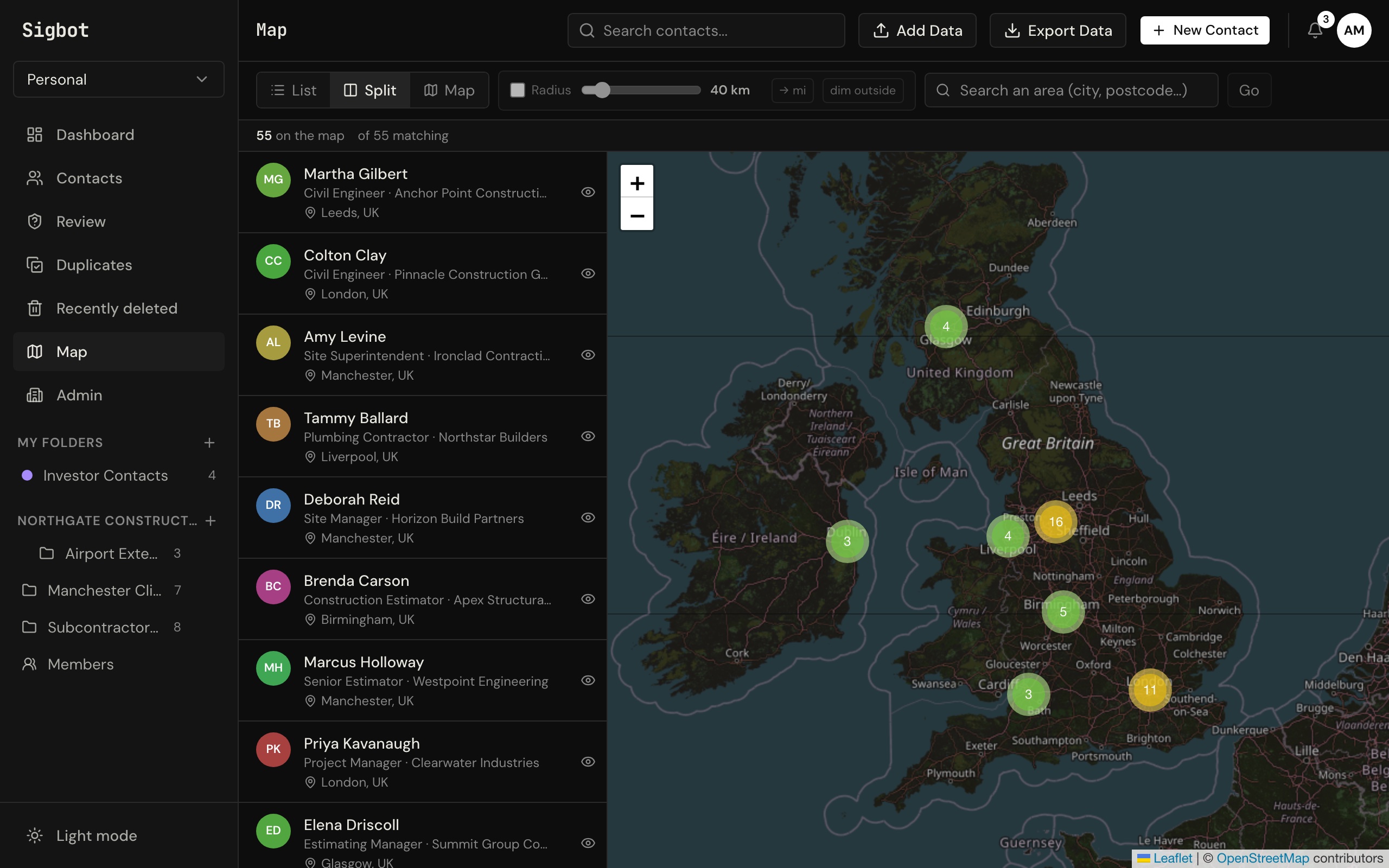
See where your contacts are.
Every contact with a location is plotted on an interactive world map. Zoom into regions, click clusters to explore contacts, and spot where your network is growing.
Sample data shown for illustration.
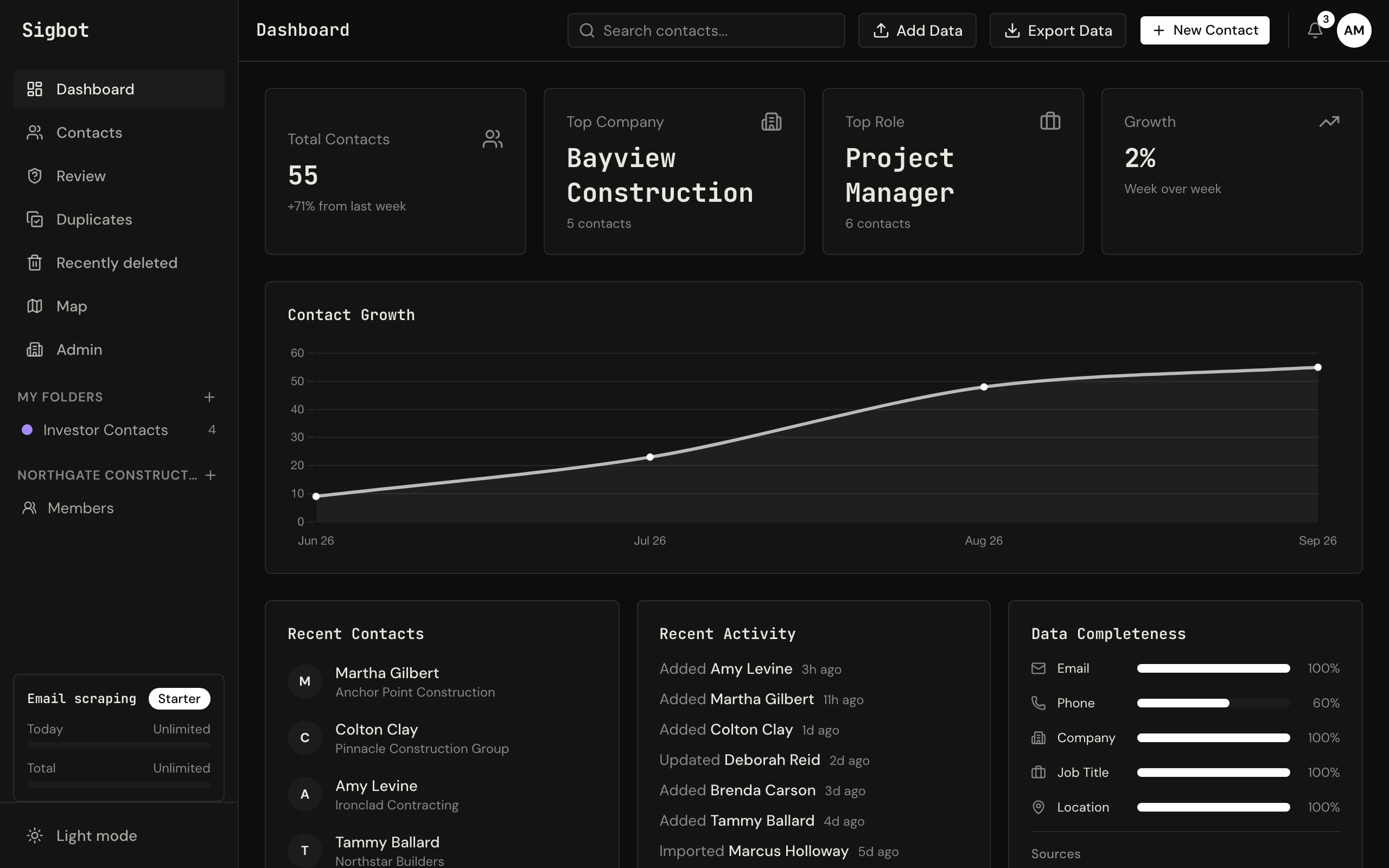
Instant insight into your database.
Track contact growth over time, spot your top companies and roles, and see exactly where your data is incomplete — all from one screen.
Sample data shown for illustration.
Connect once. New mail is checked for you.
Sigbot reads the signature block on the mail you already receive — no manual entry, no copy-paste. Connect Outlook once and run a first scan. After the first scan, Sigbot checks for new mail by itself every day on paid plans (weekly on Free), and only reads mail it hasn't seen.
-
01
Outlook — one click
Sign in with Microsoft and approve access. Nothing to configure, and no password ever reaches us.
-
02
Scan when you want fresh contacts
Press Start scan on the Import Emails page for the first scan. After that, Sigbot checks for new mail by itself (daily on paid plans, weekly on Free) and only reads mail it hasn't seen.
Import spreadsheets
Bring an existing list along: CSV, Excel, and vCard files walk through a three-step wizard with column mapping, so your old data lands in the right fields.
Drop email files
Drag .eml or Outlook .msg files straight onto the app — their signatures are parsed exactly like live mail.
Scan cards on mobile
Photograph a business card in the iPhone app — now on the App Store — and the contact appears here, in the same database, seconds later.
Everything exports to Excel or CSV for the tools you already use. Building a subcontractor list? See Sigbot for Construction. Comparing it with Outlook's own export? See how to extract contacts from Outlook emails into Excel.
Everything in one tab.
The full Sigbot experience without installing anything.
Any device, any browser
Log in from a work PC, client laptop, or tablet. It's the same contact list on every device, kept in sync through the cloud.
Search, filter, export
Search across thousands of contacts instantly. Filter by company, role, or source inbox. Export to Excel, CSV, JSON, or vCard in one click.
Data completeness
See which fields are missing across your database. Know at a glance which contacts need enrichment before they matter.
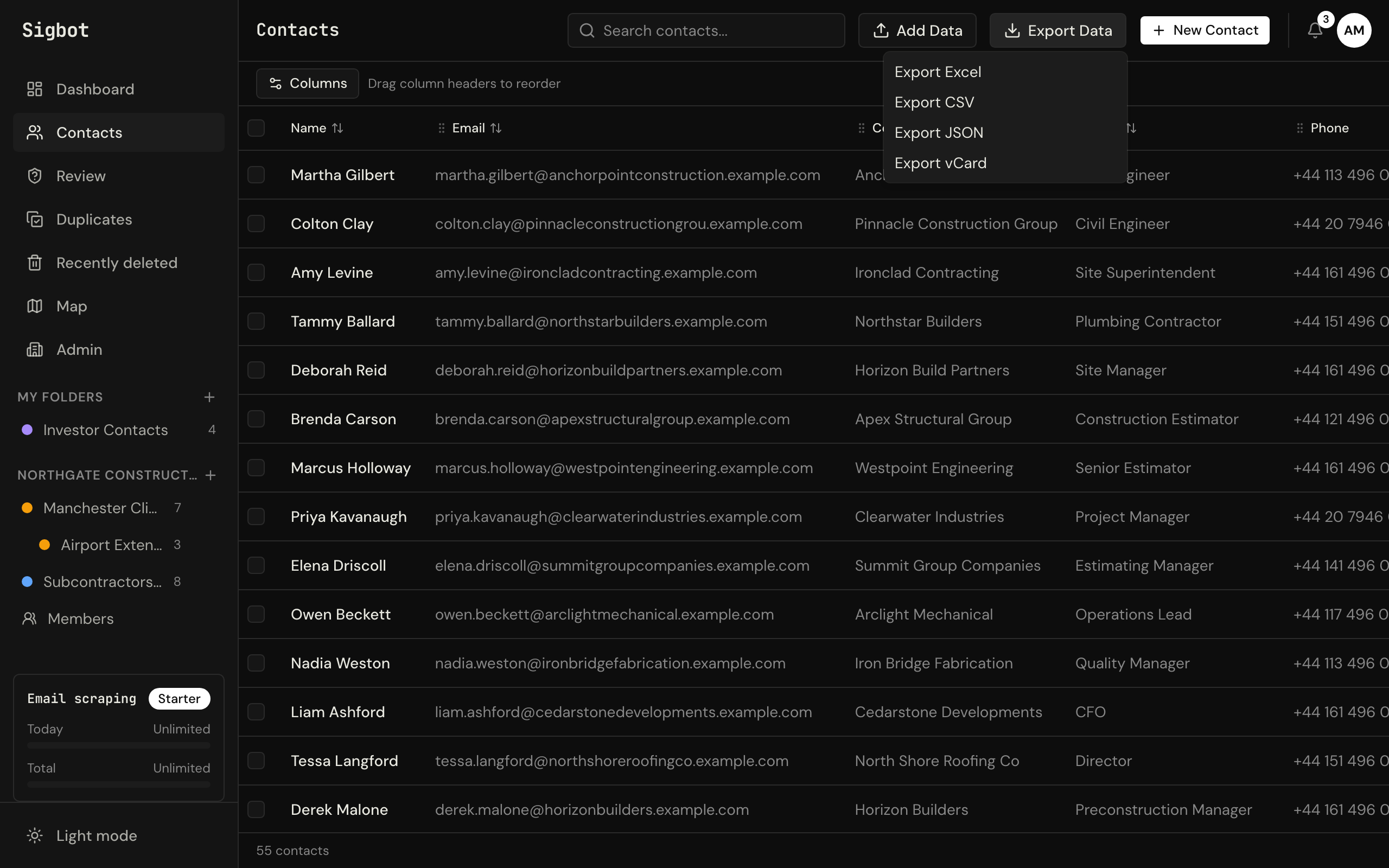
Team management
Invite team members, manage roles, and share contact folders across your organisation — all from the web dashboard.
Review queue
Newsletters, no-reply senders, and brand mail get held back instead of filed. Approve or reject them in bulk, and allowlist the domains you trust.
Duplicate detection
Likely duplicates are clustered by email, phone, or name and domain. Merge them field by field — and every merge can be undone.
Trash & restore
Deleted contacts aren't gone — they sit in the trash for 30 days and come back with one click if you change your mind.
Custom columns
Add up to 30 columns of your own — rename, reorder, and track the fields that matter to your business alongside the parsed ones.
See your own contacts on your own map, in minutes.
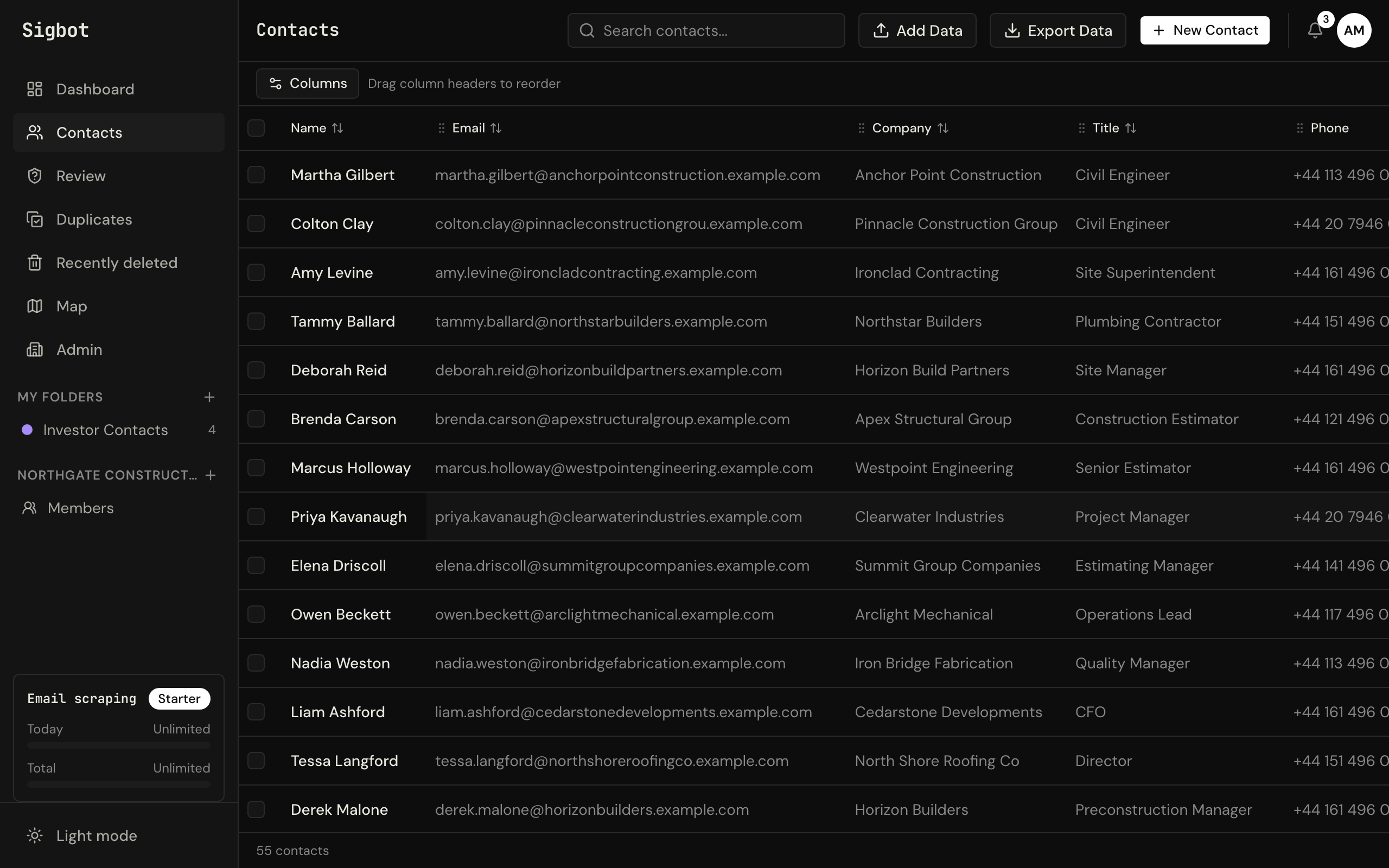
Start freeEvery contact, every detail.
Sortable columns across name, email, company, title, phone, and location. Search your entire database in under a second — then export exactly what you need.
Sample data shown for illustration.
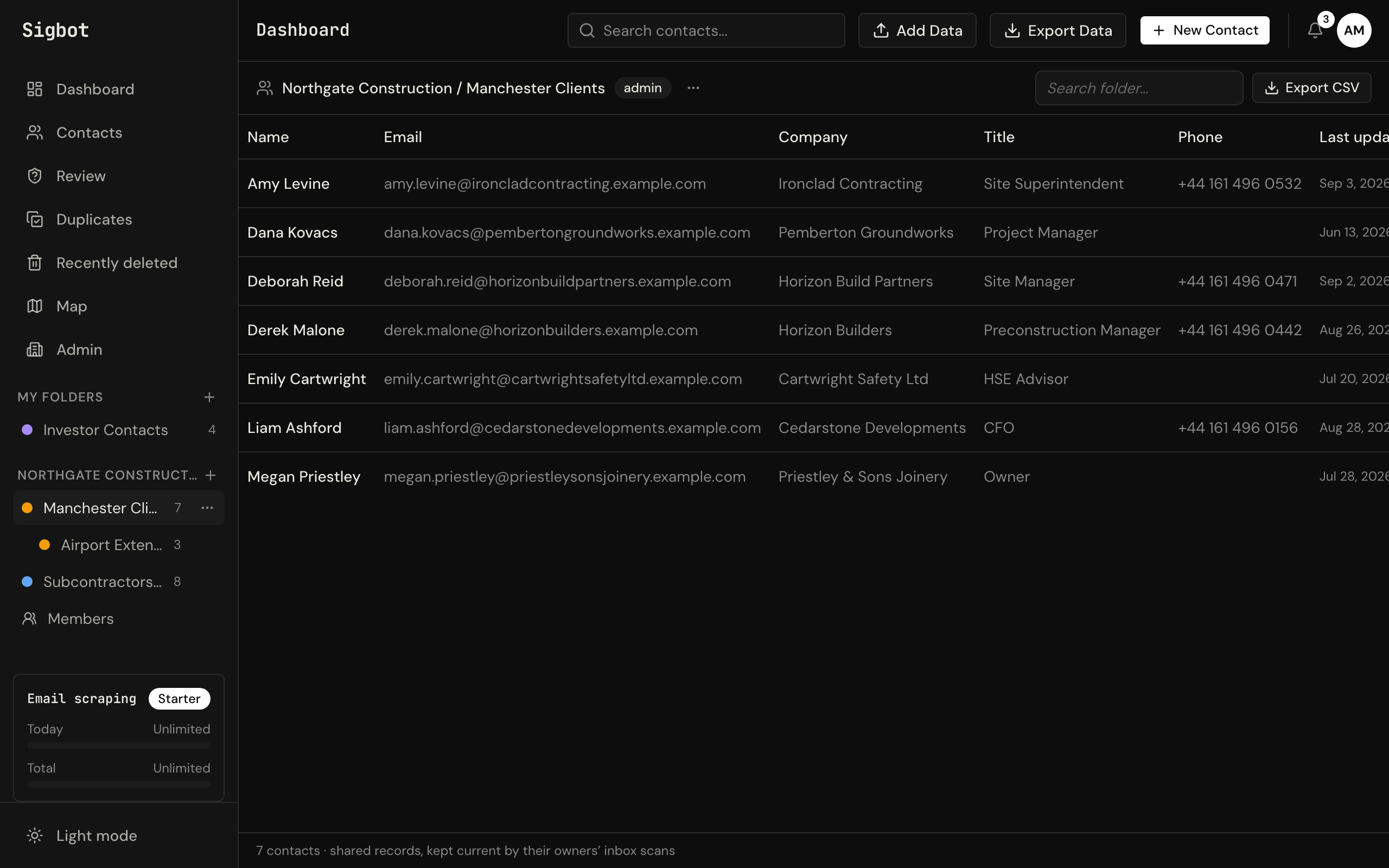
Organise with folders.
Group contacts into colour-coded folders for projects, clients, or regions — and nest subfolders inside them when a job gets big. Drag contacts in, or share a folder with your team so everyone works from the same list.
Sample data shown for illustration.
One database for the whole team.
Invite your people and give everyone the same shared contact list. Owners and admins manage members and folders; on the Professional plan you can set who may view, edit, or manage each folder individually.
Sample data shown for illustration.
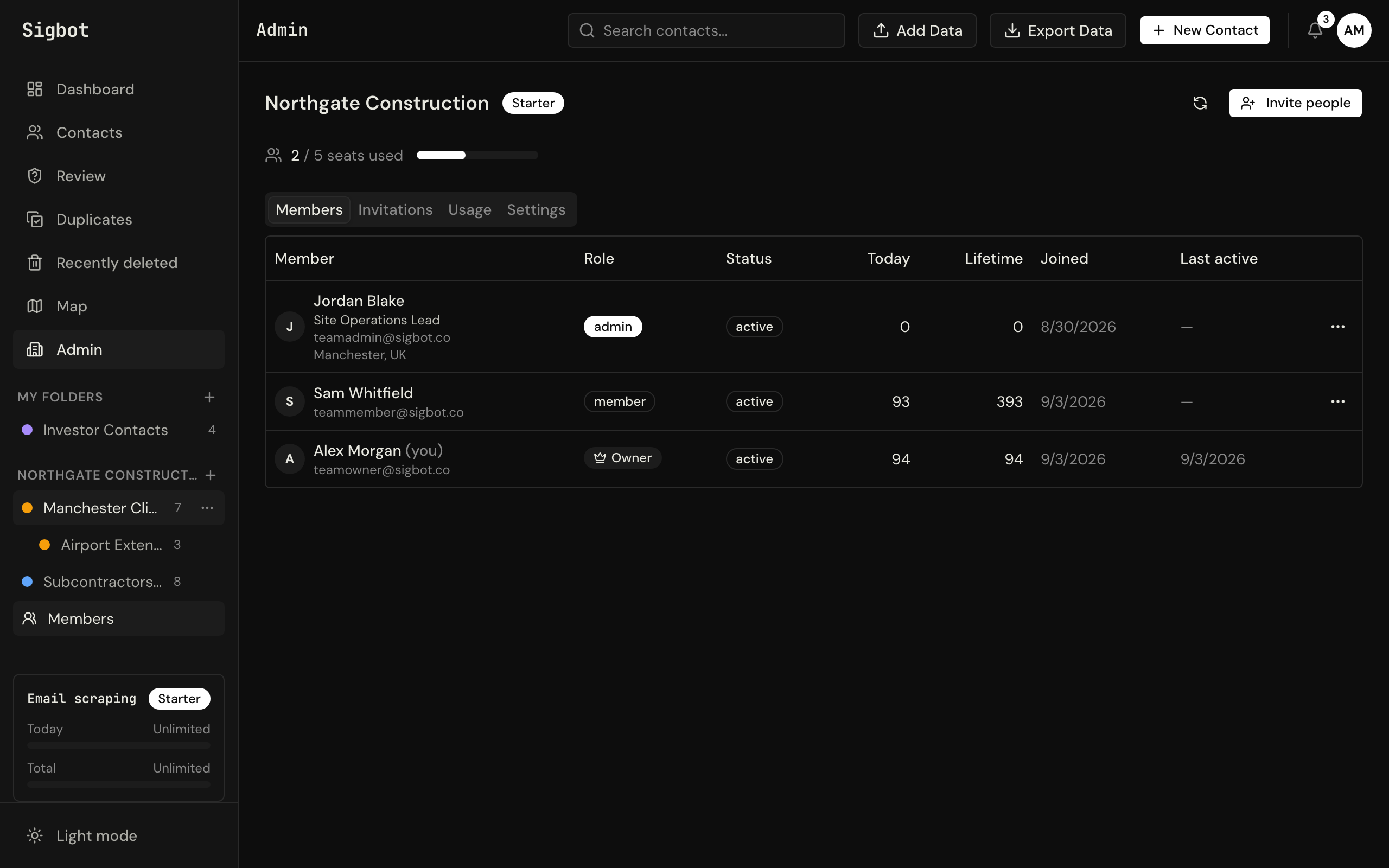
A database that cleans itself.
Sigbot's classifier holds back newsletters, no-reply senders, and brand mail in a review queue instead of filing them. Likely duplicates get clustered for a field-by-field merge you can undo, and anything you delete waits in the trash for 30 days.
Sample data shown for illustration.
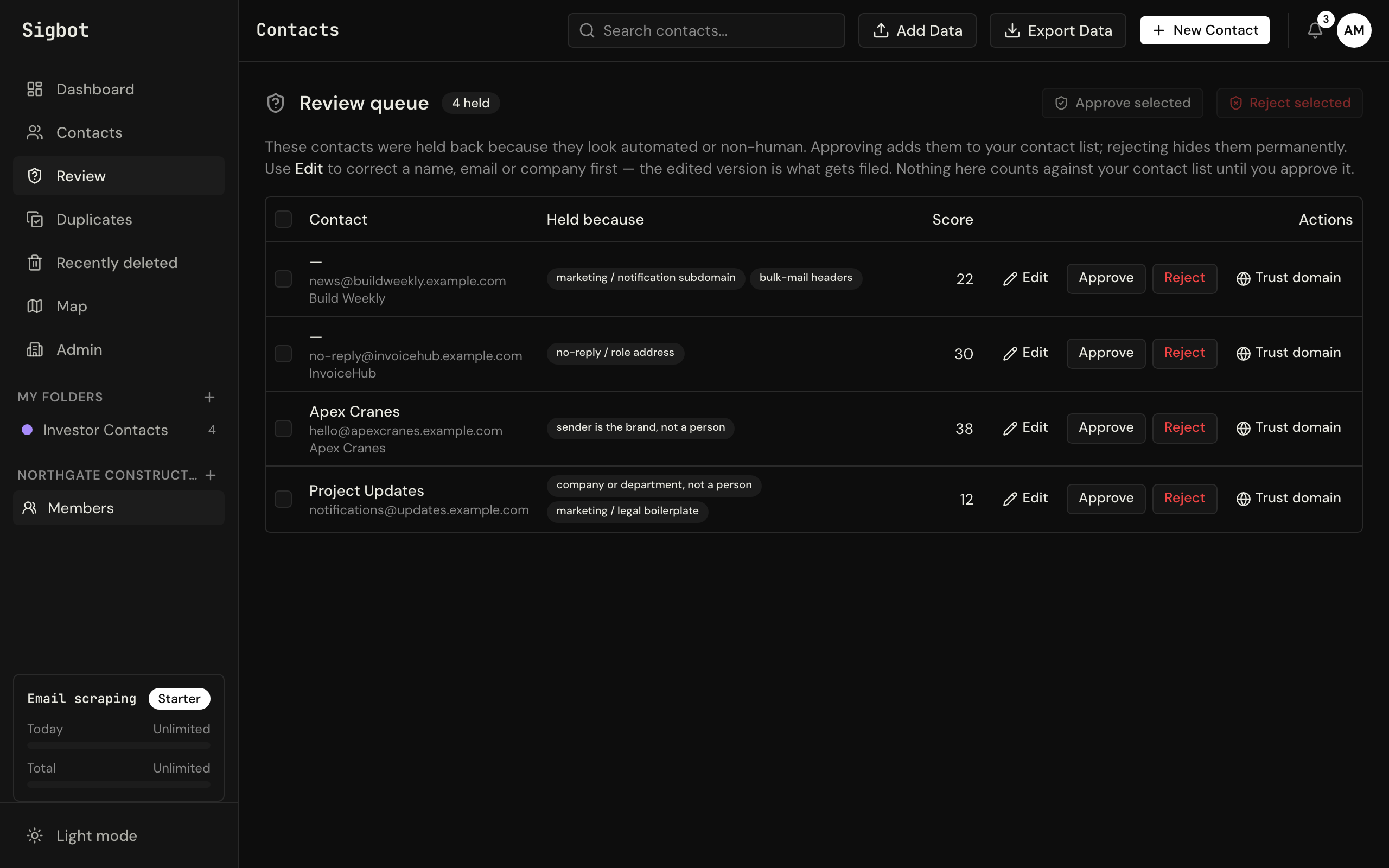
Export in seconds.
Download your full database or a filtered subset as Excel, CSV, JSON, or vCard. Import the file into your CRM, mailing list, or reporting tool.
🔒 Your data is encrypted in transit and at rest, stored in the EU, and handled under our Data Processing Agreement. Details in our Security Overview.
Under the hood
Every signature is read twice.
A structural parser works through each signature in fourteen passes — and the messy ones go to an AI reader as well. The two results are merged field by field, weighted by confidence, so a mangled mobile signature still comes out as a clean, complete contact.
Common questions
Is my data secure?
All data is encrypted in transit and at rest, stored in the EU, and processed under our DPA. Sigbot Ltd is a UK company registered with the ICO (ZC202535). See our Trust Centre and Security Overview.
Which inboxes does Sigbot support?
Outlook and Microsoft 365 connect in one click with your Microsoft account. Gmail and other providers aren't supported yet.
How fast do contacts appear after I connect?
Within minutes of starting your first scan, which reads the mail already in your inbox. After that, Sigbot checks for new mail by itself every day on paid plans (weekly on Free), and only reads mail it hasn't seen.
Can I bring in contacts I already have?
Yes. Import CSV, Excel, or vCard files through a guided wizard with column mapping, or drag .eml and Outlook .msg files onto the app to have their signatures parsed like live mail. Exports work the same way in reverse — Excel, CSV, JSON, or vCard, whole database or a filtered view.
How does team sharing work?
The Starter plan gives up to 5 people one shared database with team folders; Professional scales to 50 seats and adds per-folder permissions, so you decide who may view, edit, or manage each folder. See pricing for the full comparison.
Start building your database.
Free forever — no credit card required. Connect your inbox and your first contacts appear in minutes.
Individual from $190/year — unlimited contacts, 2,000 scans/day, and full inbox backfill.